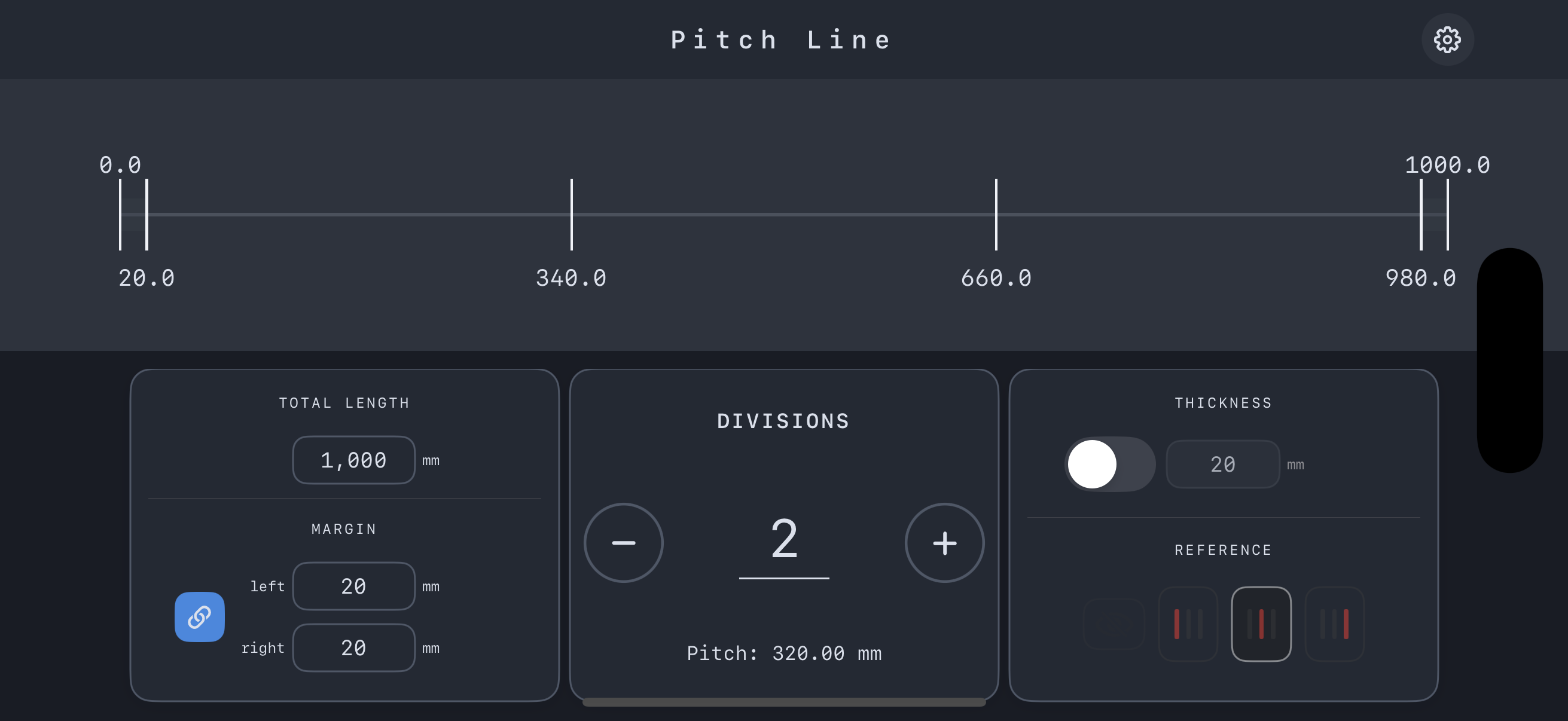
Even spacing for shelves, fences, and welding in seconds
Just enter total length and division count. From shelf screws and hardware to fence posts and steel brackets or bolt rows, Pitch Line finishes pitch spacing calculations in a few seconds.
Pitch spacing (even spacing, equal division) for shelves and steel members is more work than it looks:
You end up bouncing between calculator, notepad, and drawings—your hands stop, focus breaks, and a small mental math error can mean rework.
Pitch Line is a dedicated app that takes over this “same every time, but annoying every time” pitch spacing work.
・Total length (TOTAL LENGTH)
・Number of divisions (DIVISION)
・Left and right margins (MARGIN)
Enter these and Pitch Line immediately calculates the pitch and every mark position from the edge—no more bouncing between calculator and notepad.
When you need spacing based on the clear inside span—subtracting panel thickness or a steel flange/section width (THICKNESS)—Pitch Line calculates pitch and positions directly from that effective length.
Use it when:
・Only outer dimensions are shown but you want to design from the clear inside span
・You want weld pitch or bolt-hole pitch aligned on the inside of a flange
Choose the reference face (REFERENCE):
・Left edge / Center / Right edge
Switch dimensions to match the edge you actually mark from. A simple diagram shows at a glance which span is being divided evenly.
・Inputs and results on a single screen
・Instant recalculation when you change values
・Simple interface with no extra features to get in the way
When you “just want to get the pitch spacing right now,” it works like a small hand tool on your phone.
・Pitch spacing for screws, dowels, and hardware on shelves
・Equal spacing for pilot holes when installing shelf supports or hardware
・Spacing studs/battens evenly behind a flush door or panel
・Shelf pitch for store fixtures and display racks
・Pitch spacing for fence posts and lattice
・Pitch for handrail posts, brackets, and hardware
・Pitch spacing for brackets or bolt holes from the end of a steel member
・Even spacing for attachment points along frames, columns, and beams
・Quick checks that drawing pitch spacing still works with actual site conditions
If total length and division count are fixed and you want even spacing, Pitch Line works for wood or steel.
Input total length, division count, left/right margins, and thickness/section width if needed.
Select left, center, or right to match the edge you actually mark from.
Use the pitch value and end dimensions on screen to mark directly with your tape measure.
Reduce the time you spend stopping to punch numbers into a calculator and keep your attention on layout, proportions, joinery, and weld details—the parts that really matter.
Fewer repeated calculations and less copying of numbers lowers the risk of simple errors, rework, and wasted material or steel.
All the “(total length − margins) ÷ divisions” variations you used to run by hand can be offloaded to Pitch Line, shrinking the time and mental load of pitch spacing work.
With minimal steps, you can check pitch spacing as soon as an idea comes to mind. Whether in the shop, on site, or at your desk, you can run the same workflow on your iPhone.
Q. How does Pitch Line handle decimal pitch values?
A. By default, Pitch Line displays values with millimeter precision, but you can set the allowed rounding tolerance between 0.00 and 0.02.
If you set tolerance to 0.00, Pitch Line shows the exact calculated pitch including decimals.
If you set a larger tolerance, Pitch Line can round to more practical values while keeping total length error within that range.
This lets you balance “staying close to the calculated pitch” and “using clean, easy-to-read dimensions.”
Q. Can I change the units?
A. Yes. You can choose between mm / cm / inch. Use mm for metric drawings, cm for rough layouts, and inch when matching imperial drawings—all with the same simple workflow.
Q. Does it work on iPad?
A. Currently iPhone only. iPad support is under consideration for future updates.
Pitch Line is available on the App Store.
・Price: JPY 500
If you have questions or requests, please reach out via the form below.